 MeetChime
Never miss a meeting again.
MeetChime chimes and fills your screen the moment your Zoom, Google Meet or Teams meeting starts, even when you're deep in focus. One click and you're in the call.
macOS 14 Sonoma or later · Works with Google Calendar
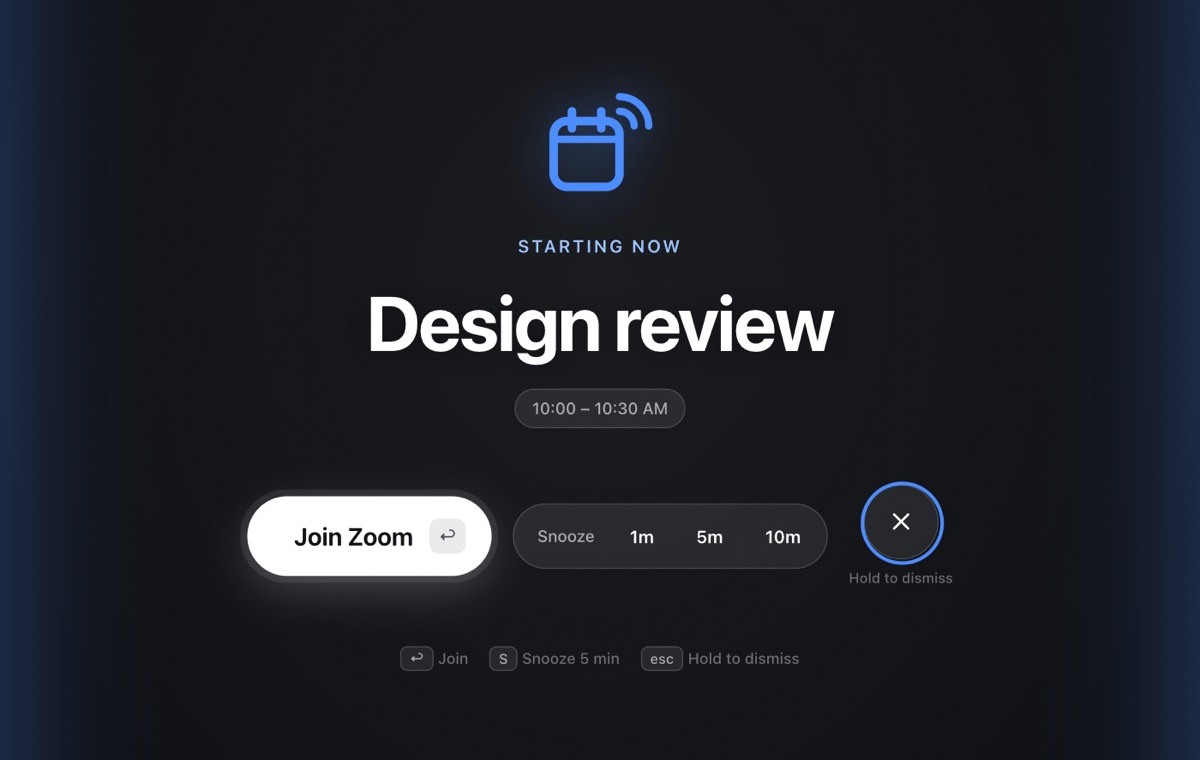
Calendar notifications are easy to miss. MeetChime isn't.
A calendar notification slides by while you're coding, writing or in the flow. MeetChime is a meeting reminder you actually notice, without being obnoxious about it.
Fills your screen
A frosted, full-screen alert appears over everything, including full-screen apps, right when the meeting starts.
A gentle chime that grows
A soft marimba starts quietly and slowly gets louder until you respond. It even rings through muted or low volume.
One click to join Zoom, Meet or Teams
Finds the video link in your calendar event. Press Join, or just hit Return, and you're in the call.
Catches up after sleep
Opened your laptop late? MeetChime tells you the meeting started 4 minutes ago and gets you in.
You decide what rings
Video meetings ring automatically. Mute any meeting with one click, just this once or every time it repeats.
Private by design
Your calendar stays on your Mac. MeetChime has no servers that see your meetings, and it never shares your data.
Your day, one click away in the menu bar
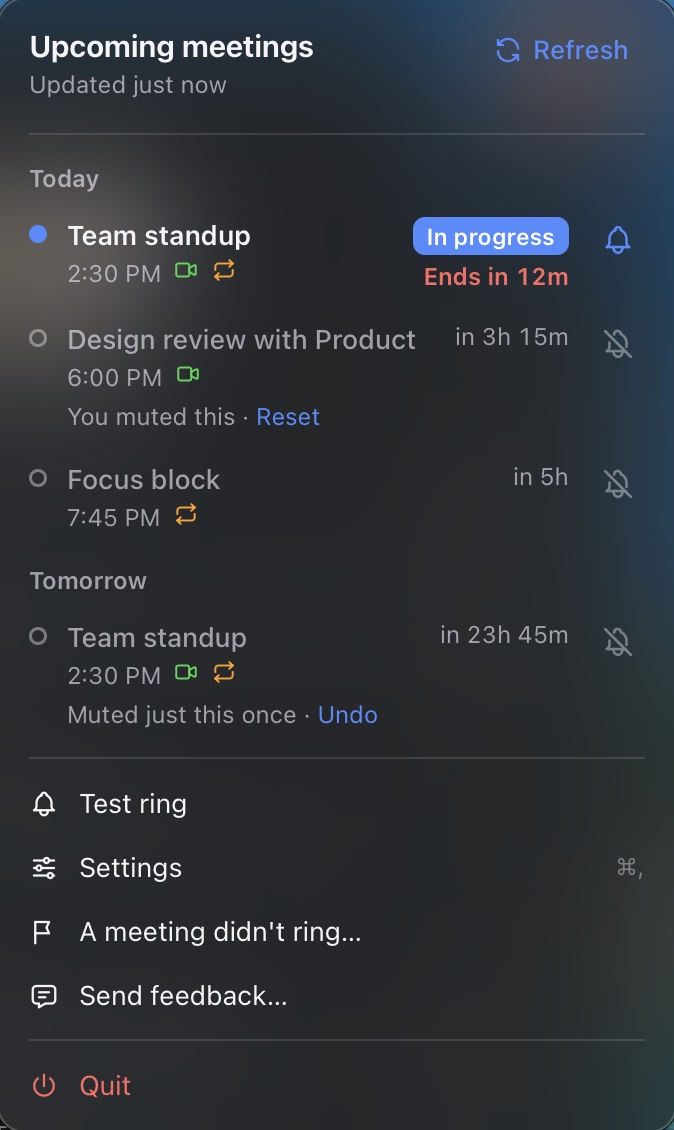
MeetChime lives in your Mac's menu bar with a quiet countdown to your next meeting.
- See today's and tomorrow's meetings at a glance
- "In progress" and "Ends in 12m" so you always know where you are
- Tap the bell on any meeting to mute it or bring it back
- Join straight from the list
Set up your meeting reminders in a minute
No account to create. No settings to learn.
Download and open
Drag MeetChime to Applications and open it. It lives in your menu bar.
Connect your calendar
Sign in with Google. MeetChime only asks to read your calendar.
Get back to work
When a meeting starts, MeetChime chimes. That's it.
Frequently asked questions
How is MeetChime different from calendar notifications?
Google Calendar and macOS show a small banner that disappears in seconds and is silenced by Focus. MeetChime shows a full-screen alert with a chime that grows until you respond, and a button that joins the call directly.
Which calendars does it work with?
Google Calendar today, including Google Workspace accounts. Outlook and iCloud are on the roadmap.
Which meetings ring?
By default, meetings with a video link and at least one other person, that you haven't declined. You can turn any meeting on or off with one click, for a single occurrence or every time it repeats.
Does it help with ADHD, hyperfocus or time blindness?
Many people miss meetings because they're deep in focus and a small notification doesn't register. MeetChime was built for exactly that moment: the full-screen alert interrupts your focus right when the meeting starts, so you don't have to keep an eye on the clock.
Will it ring if my Mac is asleep?
A sleeping Mac can't ring. As soon as you wake it, MeetChime shows any meeting that's already started so you can jump straight in. A phone fallback for when your laptop is closed is on the roadmap.
Does it work with Focus and Do Not Disturb?
Yes. Focus silences notifications, but MeetChime's alert is its own full-screen window, so it still gets through.
What does MeetChime do with my calendar data?
It reads your events to know when to ring, and keeps them on your Mac. Nothing is sent to us. See the privacy policy for details.
How much does it cost?
MeetChime is free during the beta.
I found a bug or have an idea
Use "Send feedback" in the MeetChime menu, or email support@meetchime.app.